Email OAuth made easy
Use IMAP, POP, and SMTP with Gmail or Microsoft 365 — even if your app doesn’t support OAuth
- Works with Microsoft 365, Gmail, Outlook, and all other providers
- Seamlessly integrate IMAP, POP3, or SMTP auth into any system
- Link your CRMs, ERPs, LOB apps, printers, scan to email, and more
- No deliverability issues, no message limits
- Use our free trial and get started in seconds
Send and receive from any account with every email client


Loved by 839 CRM platforms
Trusted to handle over 5,023,837 OAuth logins for email accounts at


















and many more
Works With Everything, Everywhere
Built for every protocol. Ready for every client
Total Compatibility
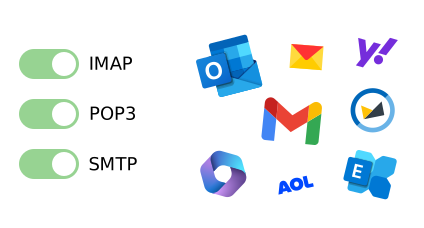
- Use your email account with any email client, including ones that don’t support OAuth 2.0
- Quick and easy setup – link your mailboxes in seconds, and connect unlimited senders or receivers
- No servers to maintain, and no mailbox migrations required
- Full protocol support: IMAP, POP, SMTP, Microsoft Graph, IPv4, IPv6, and all authorization methods
Full Customization
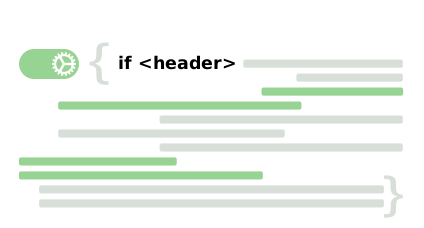
- Use our suite of add-ins to unlock custom mail server behaviors to fit your business needs
- Enable legacy connection protocols to keep using older mail systems
- Link aliases, shared accounts, or delegated mailboxes
- Create your own OAuth client configurations – all grant types are supported
Easy Management
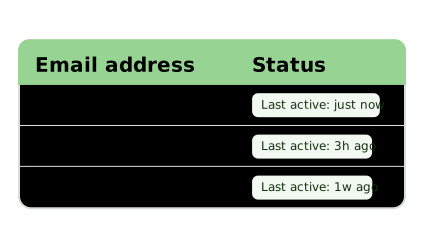
- Centralized dashboard to manage and monitor all accounts at once
- Secure access – stay compliant, and revoke any time. Find out more about our security and compliance
- Privacy by design, with encryption at all stages
What Our Users Say
Hundreds of businesses trust Auth-Email to handle their email. Here’s what they think about us:
We really appreciate your product and what it is able to do for us.
Thank you so much for your lightning-fast support
Thank you! It works like a dream. I upgraded our subscription.
Auth-Email is a solid option. Reasonable price, no message limits, and you can try it for free.
The only recommendation we will publish for oauth proxy services.
Why OAuth Breaks Email Integrations
And how to get them working again
Email providers like Gmail and Microsoft 365 now require modern OAuth authentication for security. While this protects accounts, it also breaks many systems that rely on traditional IMAP, POP, or SMTP username / password authentication.
Unfortunately, many tools cannot implement OAuth easily, including older applications, complex line of business platforms, hardware devices, and scripts.
Auth-Email solves this by acting as an OAuth relay. Your application connects using standard IMAP, POP, or SMTP authentication, while Auth-Email securely handles OAuth with the provider.
How Auth-Email Works
Auth-Email is an invisible mail relay that handles email OAuth for you.
Just switch your apps to use Auth-Email’s server, and access your accounts using standard password authentication.

1. Add account
Connect your email account to Auth-Email using secure OAuth 2.0 authentication. We support Gmail, Outlook, 21Vianet, and many more
2. Customize
Set a password. Optionally, configure advanced features like add-ins, legacy connection protocols, and custom OAuth clients
3. Done!
Change your server settings to use auth-email.com
That’s it – you’re all set!
Your account credentials remain securely encrypted, and cannot be accessed by us
Supported Platforms
Use Auth-Email to access mail from all of these providers, and more





Simple and Secure
Everything you need to manage your email accounts and connected apps, and nothing you don’t
- 1Link your email accounts
Authorize Microsoft 365, Gmail, or any supported provider in seconds - 2Configure your apps
Connect using IMAP, POP3, or SMTP using any client or device
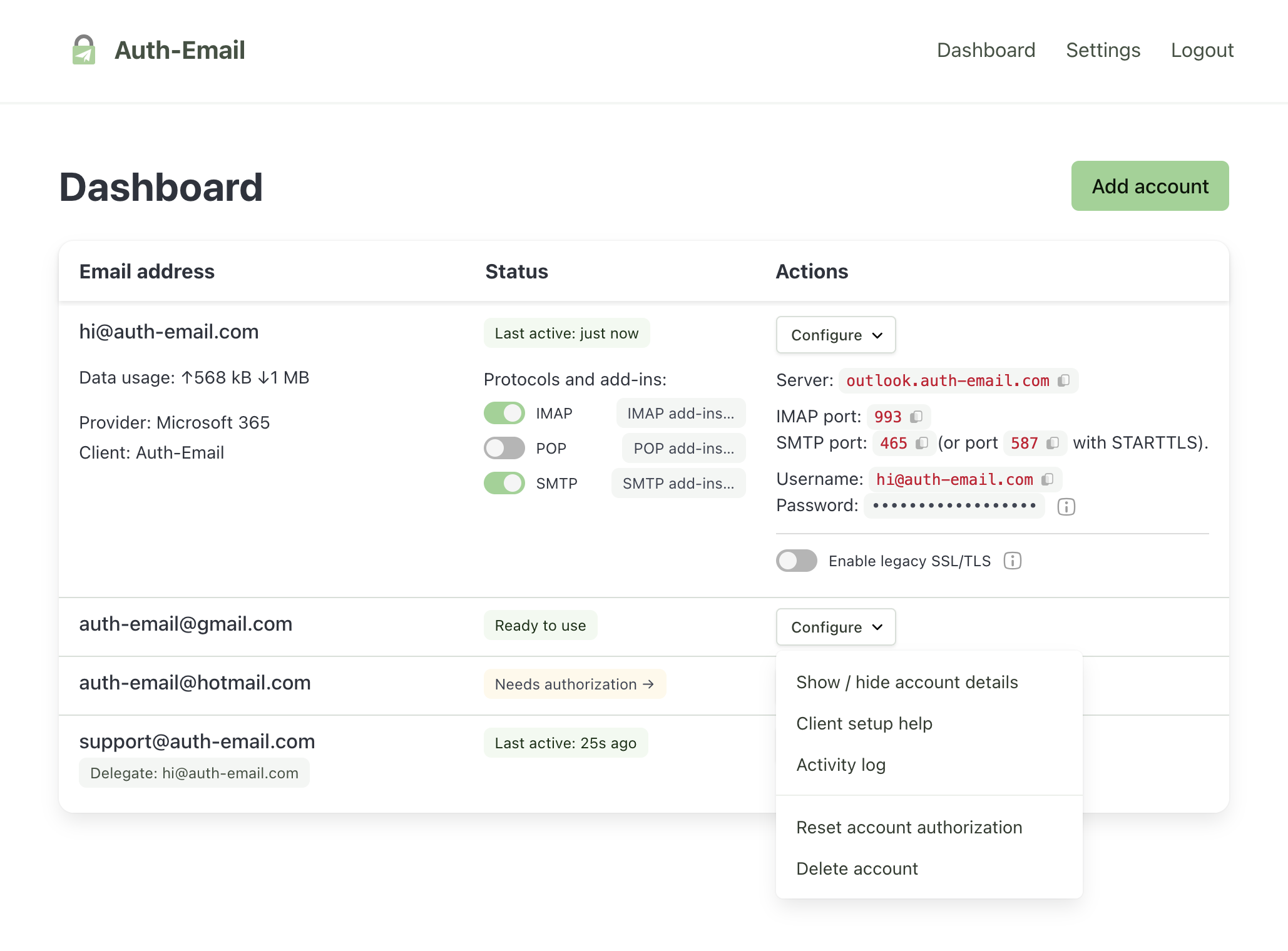
- 3Monitor access
Track account activity and data usage across all accounts - 4Revoke instantly
Remove any connection at any time
Auth-Email is perfect for:
Applications
Keep legacy software working with modern email providers that require OAuth authentication.
Devices
Enable scan-to-email for printers and hardware devices that only support username / password SMTP.
Platforms
Connect mailboxes using IMAP, POP3, or SMTP without implementing complex authentication flows in your application.
Developers
Use IMAP, POP, or SMTP from scripts, automation tools, monitoring systems, or AI integrations, without worrying about OAuth.
Free Email Tools
Use our free tools to manage your emails and attachments, check your security, or test your connection.
No email signup, and no registration required.
Frequently Asked Questions
What is Auth-Email?
Auth-Email is an OAuth relay that handles all aspects of OAuth authentication for your email accounts, allowing you to use standard password authentication with any email client, app, device, service or script. We proxy your connections transparently so you can forget about OAuth and focus on your email.
How does Auth-Email work?
Auth-Email handles the OAuth step for you. You authorize your accounts in Auth-Email’s dashboard, and then use Auth-Email’s server settings in your email client to access your accounts using a password you choose.
What are some use cases for Auth-Email?
Auth-Email is ideal for:
- Accessing email from clients that don’t support OAuth – for example, service desks, CRM platforms, scan to email, printers, and older apps or devices
- Using AI agents with email providers that require OAuth authentication
- Managing account authorization for multiple email accounts in one place
- Accessing the same account from more than one client without managing OAuth separately for each one
- Tracking account access and usage
Which email providers are supported?
Auth-Email supports a wide range of email providers, including Gmail, Google Workspace, Microsoft 365, 21Vianet, GCC High, Exchange Online, Outlook, Windows Live Mail, Hotmail, Yahoo, AOL, Yandex, VK Mail, and more.
Enterprise accounts managed by Microsoft 365 or Google Workspace are fully compatible with Auth-Email.
We also support ISP-provided accounts, including AT&T, Cox, Comcast, Sky, Rogers and others managed by Yahoo.
Do I need to enable IMAP, POP3, and SMTP for my account?
You only need to enable the protocols you plan to use with your account. For example, if you only plan to use SMTP, you can disable IMAP and POP.
For Microsoft accounts with a subscription to our Personal or Pro plan, we also provide a relay service that uses Microsoft Graph, which lets you use IMAP, POP, and SMTP even if you cannot enable these protocols directly.
Are legacy devices supported?
Yes – we aim to support all apps and devices that have been hit by the introduction of OAuth for email logins. If your mail client worked before OAuth, it will work with Auth-Email.
What are the setup details for my Auth-Email account
Our support pages have all the details you'll need to set up your accounts (including servers and ports), plus walkthroughs for advanced features like custom OAuth client flows, account delegation, legacy connection protocols, and add-ins to modify mail server behavior.
Is my data secure with Auth-Email?
Yes – we prioritize your security and privacy. When you authorize your account, the access details are securely encrypted with a password you choose. We don’t store your password, and your email account cannot be accessed by us.
Will there be any issues with deliverability?
No! Unlike SMTP forwarding services, Auth-Email uses your email provider’s original servers, so you can rest assured that your messages will reach their destination.
As a bonus, this also means you don’t have to worry about DNS configuration, SPF, DKIM or any of the other complex and error-prone requirements for modern email sending.
Are there any message limits?
No. Unlike other services, Auth-Email does not track or limit the number of messages. All plans come with unlimited messages!
Instead, we give a generous monthly bandwidth allowance for each plan. The Starter plan comes with 2 GB, while the Personal plan has 15 GB. The Pro plan includes 150 GB data per month.
Can I manage multiple email accounts?
Yes, Auth-Email allows you to manage multiple email accounts from a single dashboard (including shared or delegated accounts).
The number of accounts that can be added depends on your plan:
- Starter: 1 account
- Personal: 5 accounts
- Pro: 25 accounts
Is Auth-Email free?
We have a free trial available, with a limited set of features.
If you become a yearly subscriber, you save 25%. Take a look at our pricing page for more details.
The reason we charge for Auth-Email is that it costs money to run. We want to be around for the long term, and charging for the service helps us cover our costs and continue improving for our users. That’s also why we offer such a large discount for yearly subscriptions.
If you like our service, support Auth-Email by becoming a paid user. It ensures we can keep building the features you need while staying here for the long term.
You can cancel at any time via the subscription management page in your account settings.